Excel to Word
Easily convert Excel (XLS) to Word documents for free with our online Excel to Word Converter.

Drop or Paste your files
Data security comes first – We’ll never sell or share your data.
Drop or Paste your files
Files (0)
filename.xlsx
2.5MB
file_name.xlsx
2.5 MB
Excel to Word Converter
Excel to Word Converter helps you seamlessly transform Excel spreadsheets into clean, well-formatted Word documents. Instead of manually copy-pasting values, restructuring tables, adjusting formatting, and wasting time, our Excel to Word tool lets you do all in a single click. Plus, no registration or installation is needed.
How to Convert Excel to Word Online?
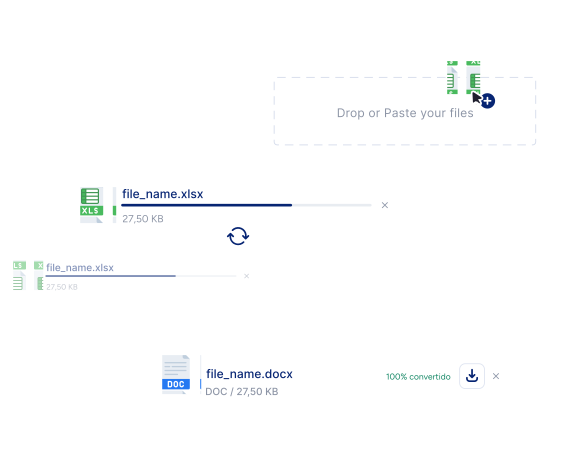
Select Excel files
Paste, drag & drop, or upload the Excel files into the tool.
Start Conversion
Click the “Convert” button to start the conversion. Our Excel to Word converter will immediately convert all the XLXS files into Word files.
Download files:
Finally, you can download DOCX files either separately or in a ZIP file.
Key Features of Excel to Word Converter
Here’re the key aspects of our tool that make it worthy for users
Accurate Tables Conversion
Our XLS to DOC converter ensures that all of your tables remain exactly how you created them in the Excel file. There are no broken rows or messy columns.
Batch Processing
This Excel to DOCX converter lets you simultaneously convert multiple XLSX sheets into MS Word online. This feature helps you easily manage bulk projects, saving you time and effort.
Supports All Formats
Our Excel to Word converter supports all formats, including xls, xlsx, and csv. This eliminates compatibility issues, so you can upload any spreadsheet and get a clean word document.
Fast Processing
We designed our tool to be convenient to use for all, with no need for prior experience or skills. Plus, it works super fast to instantly complete even bulk file conversions.
High-Quality Outputs
The converted Word files are readable and formatted exactly as in the Excel spreadsheet. You’ll need to do just minimal edits.
100% Secure
We ensure that every file you upload and every document you convert stays private and secure. We don’t store, share, or access your data, so you can use this tool confidently.